
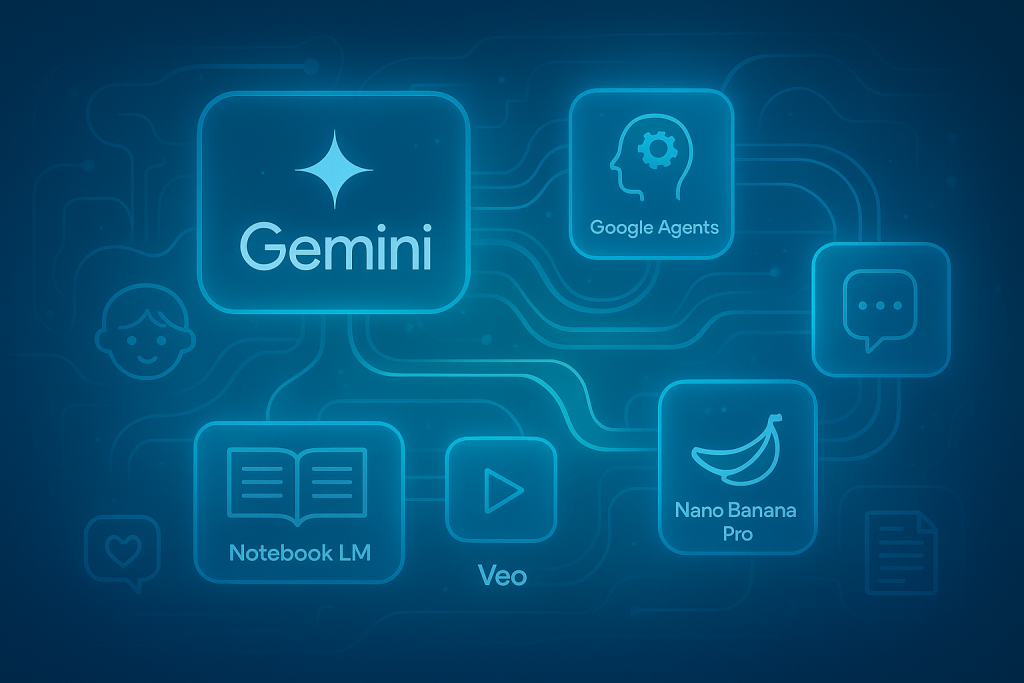
Over the past year, we’ve been diving into Google’s AI ecosystem, and honestly, it’s been a game changer for how we work in therapy and education. It’s not just about Gemini anymore—it’s about how all these tools, from AI Studio to agents, Notebook LM, and a whole range of other apps, fit together to create a workflow that feels like it’s actually built for busy clinicians and educators.
We started with Gemini, Google’s multimodal AI, and quickly realized how much it could help with generating structured, clinically relevant content. Whether it was creating a social story tailored to a child’s sensory profile or simplifying a linguistic concept for a parent, Gemini’s strength is its ability to understand detailed prompts and deliver useful drafts. What we liked most was that, with clear context, Gemini could produce materials that felt personalized and relevant, saving us hours of prep time. But we also noticed its limitations—it’s not a replacement for clinical expertise, and sometimes it needed a lot of tweaking to get the nuance right.
Then we explored Google AI Studio, which lets you build custom tools that reflect your own style or caseload needs. We created a simple “social story generator with sensory-friendly wording” and a “WH-question practice tool for early language learners.” The best part? You don’t need to be a coder—building something useful is surprisingly approachable. When you automate one repetitive task, like generating session summaries or parent guidance emails, it compounds over time. We’ve saved hours each month just by having these tools ready to go.
At the top layer, Google’s agent technology is starting to handle more complex, multi-step workflows. Agents can read your weekly goals, categorize them by child, draft session plans, update progress-tracking documents, and even prepare parent emails. At first, the idea of fully automated workflows felt a bit intimidating, but we’ve found that even partial automation—like auto-generating weekly reports or sorting client data—can reduce cognitive fatigue and free up mental space for the human side of our work. The key is to keep control: agents are assistants, not replacements.
We also tested out Google Notebook LM, which lets you upload your own documents and have the AI summarize, analyze, or even draft responses based on your notes. For therapy planning and research, it’s been a helpful way to organize and extract insights from our own files. And with Google’s AI-powered features in Sheets and Docs, automating calculations and generating visual charts has become seamless.
Other apps like Google’s AI-powered Chromebooks, with their advanced text-to-speech and dictation, have also made a difference, especially for learners who need accessibility support. Google Meet’s real-time transcription and translation has been a game changer for sessions with non-native speakers or when we need to share clear summaries with parents. Google Forms with AI-powered smart surveys has made collecting feedback and tracking progress even easier, and Google Slides with AI design suggestions helps us create visually engaging presentations for training or parent workshops.
But the real excitement for us has come from experimenting with Nano Banana and Nano Banana Pro. Nano Banana is a quick AI content generator that makes it easy to create engaging educational graphics, course visuals, and teaching materials on the fly. It’s especially useful for making complex concepts accessible and memorable. Nano Banana Pro takes it up a notch, offering high-quality, emotionally expressive video and image generation. It’s a game-changer for personalized intervention videos, social stories, and step-by-step demonstrations—making it easier than ever to model skills, routines, or emotional scenarios for our clients and students.
Veo, Google’s video generation tool, is another standout. It lets us create custom videos for therapy explanations, lessons, or visual supports in minutes. Whether it’s a short video to demonstrate a skill, explain a concept, or engage a student, Veo streamlines production and saves valuable time.
Don’t forget about Google’s AI-powered search, which now surfaces research and resources tailored to our specific needs, and Google Keep with AI-powered reminders and notes organization, which keeps our to-do lists and session notes in order. And for those who love experimenting, Google’s new AI-powered “Studio” features in Docs and Slides let you generate images, charts, and even entire slide decks with just a few clicks.
What we appreciate most is how all these tools are designed to work together. You can start with a prompt in Gemini, build a custom tool in AI Studio, use agents for workflow automation, analyze your results in Notebook LM, and then share your findings with Meet, Slides, or Keep—all within Google’s ecosystem. The integration is smooth, and it feels like these tools are actually built to support the way we work, not just add another layer of complexity.
Of course, there are downsides. Privacy is always a concern, and we make sure to never upload client-identifying information. And while these tools are powerful, they still need human oversight—no AI can replace clinical judgment or the therapeutic relationship. But when used thoughtfully, Google’s AI ecosystem can significantly boost efficiency, personalize materials, and reduce the administrative load that often takes up so much of our time.
Look out for future editions of the Happy Brain Training newsletter for more information, tips, and updates on how these tools are evolving and how you can use them safely and effectively in your practice.