Author name: Admin

English

Nano Banana 3 Goes Unrestricted: Why Higgsfield’s Surprise Release Matters for Therapists, Educators, and AI-Driven Practice

Every once in a while, the AI world drops a surprise that makes everyone sit up. This week, it came from Higgsfield, the company behind the Nano Banana video-generation models — known for producing some of the cleanest, most realistic AI videos on the market, unlocking capabilities that were previously behind expensive enterprise plans. For most people, this news is exciting. For therapists, educators, researchers, and content creators working in human development and rehabilitation, it’s transformative. Nano Banana 3 and Nano Banana Pro are part of Higgsfield’s next-generation video models. They were originally designed for creators and studios, but the quality, speed, and realism they deliver have caught the attention of professionals across healthcare, education, and the wider neurodevelopmental field. These models aren’t basic talking-head generators. They produce dynamic, context-aware video scenes, expressive human animations, and rapid-turnaround educational clips using only text prompts. So when Higgsfield temporarily removed restrictions, it wasn’t just a gift to filmmakers — it was an invitation to explore what high-quality video generation could look like in therapeutic and educational practice. What Exactly Is Nano Banana 3? Nano Banana 3 is Higgsfield’s lightweight, fast, and impressively realistic video model. It can generate short, smooth, expressive videos with better motion stability and less distortion compared to the previous Nano Banana versions. Nano Banana Pro — which people now have temporary free access to — adds even more: For therapists, teachers, and clinicians, this means the ability to instantly create intervention videos, role-play models, visual supports, psychoeducation clips, and demonstration scenes that would normally take hours to film. Why This Release Matters for Practice I’ll be honest: when video-generation models first appeared, I didn’t see them as therapy tools. But the Nano Banana models changed my mind. Their realism and flexibility fit directly into several needs we see every day: modeling communication, breaking down routines, illustrating social expectations, or simply making content engaging enough for learners who require visual novelty or repetition. This unrestricted release removes the barrier to experimentation. For three days, any therapist or educator can test Nano Banana Pro and actually see how AI-generated video could support their workflows without financial commitment or technical friction. For example: What makes Nano Banana particularly interesting is the emotional realism. Characters move with natural pacing, eye gaze, and affect matching — features extremely valuable in social-communication interventions. From My Perspective: Why You Should Try It When tools like this become unrestricted, even briefly, we get a rare chance to explore what the future of intervention might feel like. Not theoretical, not conceptual — real, hands-on experimentation. I see huge potential in: 1. Parent CoachingQuickly making custom videos that model strategies the parent can repeat at home. 2. Social-Emotional LearningCreating emotionally accurate scenes for teens with ASD, ADHD, or anxiety. 3. AAC & CommunicationDemonstrating key phrases or modeled scripts in naturalistic situations. 4. Motor LearningShowing task sequences with slowed motion or highlighted joints. 5. Research ApplicationsGenerating standardized, high-quality visual stimuli for cognitive or behavioral studies. A tool like this doesn’t replace therapy — but it extends it. It fills the gap between sessions, helps personalize intervention, and gives families meaningful resources that feel engaging, culturally adaptable, and accessible. A Few Cautions Of course, video generation is not without concerns. We still need clear boundaries around: But when used appropriately, tools like Nano Banana can help scale interventions, enrich learning, and support environments where visual modeling is a core instructional method. A Moment to Explore, Not to Rush Through Higgsfield opening Nano Banana Pro to the public is bold. It’s also a glimpse of how accessible high-end AI creation may become. For many professionals, these three days are an opportunity to test workflows that could eventually become standard practice — from creating personalized therapy materials to building research stimuli or educational modules. Whether you use the full three days or just a few minutes, it’s worth stepping in. Not because AI will replace human teaching or therapeutic presence — but because it can extend it in powerful, flexible, and creative ways.
English

Gemini 3: Google’s Most Capable Model Yet — And What It Means for Therapy, Education & Brain-Based Practice

Every year, AI pushes a little further into territory we once believed required exclusively human cognition: nuance, empathy, reasoning, and adaptability. But with Google’s release of Gemini 3, something feels different. This new generation isn’t just another model update—it’s a shift toward AI that reasons more coherently, communicates more naturally, and integrates into clinical, educational, and research ecosystems with unprecedented fluency. To many of us working in the therapeutic world, Gemini 3 arrives at a time when we are juggling increasing caseloads, administrative pressure, and the need for more adaptive tools that support—not replace—our expertise. And surprisingly, this model feels like a thoughtful response to that reality. What Gemini 3 Actually Is — Beyond the Marketing Google positions Gemini 3 as its most advanced multimodal model: text, audio, images, video, graphs, code, and real-time interactions all feed into one system. But what stands out is its improved reasoning consistency. Earlier models, including Gemini 1.5 and 2.0, impressed on benchmarks but sometimes struggled in long, structured tasks or therapeutic-style communication. Gemini 3 shows noticeable refinement. It handles complex, layered prompts with fewer errors. It sustains long conversations without losing context. And perhaps most relevant to us—it is more sensitive to tone and intention. When you ask for a parent-friendly explanation of auditory processing disorder, or a trauma-informed classroom strategy, or a neutral summary of recent research, its responses feel less generic and more aligned with clinical communication standards. Google also introduced stronger multilingual performance, something particularly important for our multilingual therapy and school settings. Gemini 3 processes Arabic, French, and South Asian languages with far greater stability than earlier iterations. For families and educators working in diverse linguistic communities, this matters. How It Could Support Real Practice — From Our Perspective I’ll be honest: when AI companies announce new models, my first reaction is usually cautious curiosity. “Show me how this helps in a real therapy room.” With Gemini 3, I’m beginning to see practical pathways. In our therapeutic and educational contexts, the model’s improvements could enhance practice in several ways: 1. More Accurate Support for Clinical Writing Gemini 3 feels significantly more reliable in structuring reports, generating progress summaries, and translating clinical findings into clear, digestible language. For many clinicians, writing takes as much time as therapy itself. A model that reduces cognitive load without compromising accuracy genuinely matters. 2. Better Tools for Psychoeducation One of its strengths is tone adaptability. You can request information written for a parent with limited health literacy, a teacher seeking intervention strategies, or a teenager trying to understand their diagnosis. The explanations sound more natural, less robotic, and more respectful—qualities essential in psychoeducation. 3. Enhanced Use in Research and Evidence Synthesis The model’s ability to handle long documents and produce structured, conceptually accurate summaries makes literature reviews, protocol design, and thematic analysis far more manageable. For students, researchers, and clinicians engaged in EBP, this can be a real asset. 4. A Potential Co-Facilitator for Learning & Rehabilitation Gemini 3 can generate adaptive tasks, scaffold instructions, model social scripts, or create visual-supported routines. While no AI can replace human therapeutic presence, it can extend learning between sessions and increase engagement—especially for children, neurodivergent learners, and individuals needing high repetition. 5. More Reliable Multimodal Reasoning Therapists often rely on materials—videos, images, diagrams, routines—to support learning. Gemini 3’s improved image analysis and video interpretation could help clinicians create resources faster and with greater clarity. But Here’s the Real Question: Should We Be Excited or Cautious? As therapists, we always stand with one foot in innovation and one firmly in safety. With Gemini 3, that stance remains essential. The excitement comes from its ability to improve access, reduce overwhelm, and support families who need more than a once-a-week session. But caution is necessary because the more “human-like” the model becomes, the easier it is for users to over-trust its authority. Gemini 3 can sound empathetic—but it does not understand emotions. It can synthesize research—but it cannot replace clinical judgment. The path forward, I believe, is intentional integration. We use Gemini 3 to enhance—not overshadow—our expertise. We let it support the labor-intensive parts of practice while ensuring interpretation and decision-making remain firmly human. And we maintain transparency with our clients, students, and families about where AI fits into our work. Why Gemini 3 Matters Now We are entering a period where AI tools are no longer optional—they’re becoming part of the professional landscape. What differentiates Gemini 3 is not its novelty, but its maturity. It offers enough stability, depth, and flexibility to genuinely support practice, without the erratic unpredictability that marked earlier generations. For therapists, special educators, and researchers, Gemini 3 represents an opportunity to reclaim time, enhance personalization, and deepen our capacity to deliver care. But it also invites us to reflect thoughtfully on our role in this changing ecosystem: to lead the conversation on ethical integration, to train the next generation in AI literacy, and to ensure technology remains a tool of empowerment rather than replacement. The future of therapy is still human-centered. Gemini 3 simply gives us more room to keep it that way.

English

Tavus.io: The Rise of AI Human Video and What It Means for Therapy, Education & Client Engagement

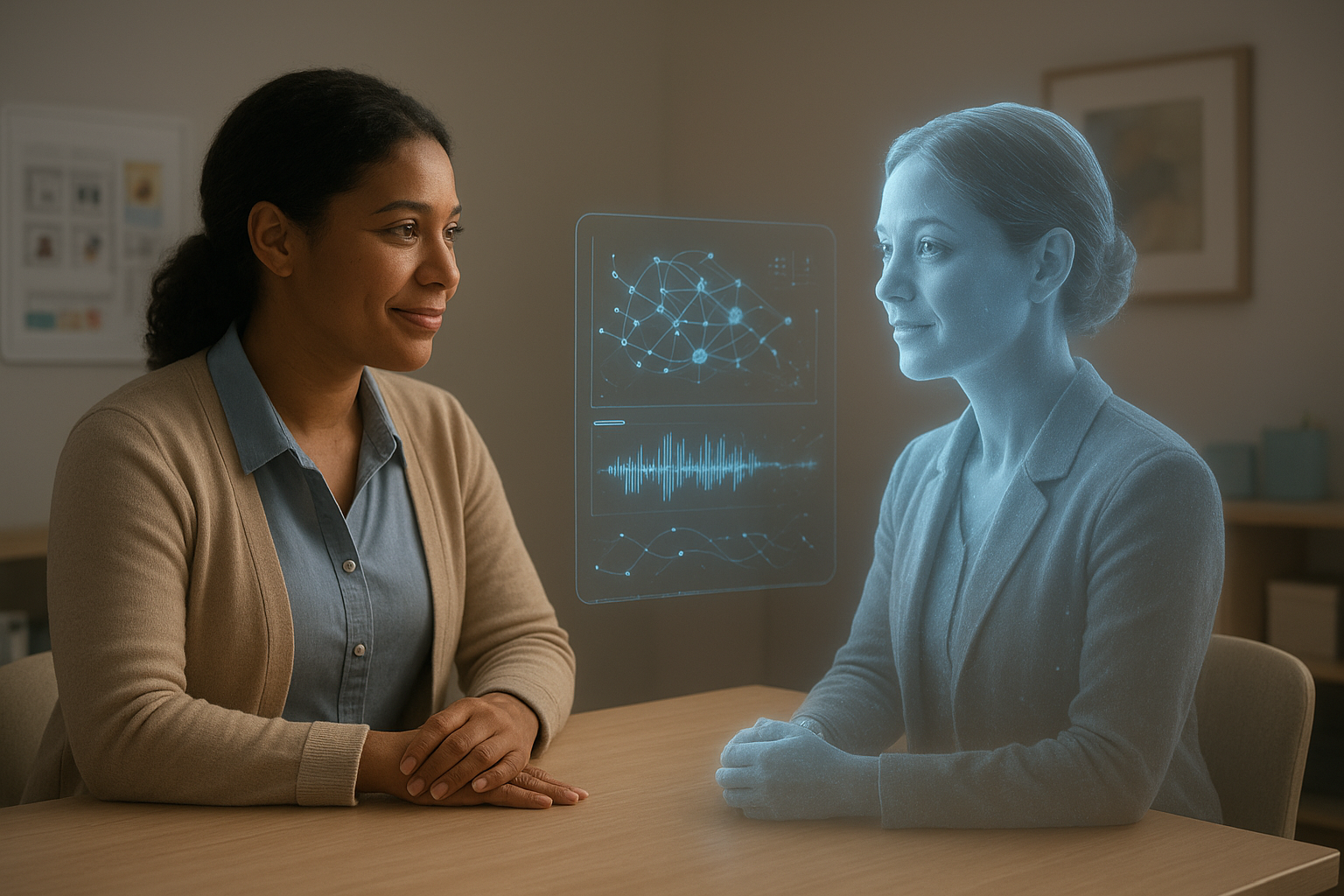
AI-generated video has evolved rapidly, but Tavus.io represents one of the most significant leaps forward — not just for marketing or content creation, but for human-centered practice. Tavus blends generative video with conversational AI, allowing users to create lifelike “AI Humans” that look, speak, and respond like a real person in real time. For those working in therapy, rehabilitation, special education, or health research, this technology raises fascinating possibilities for connection, continuity, and support. Tavus allows anyone to create a digital version of themselves through a short video recording. Using advanced video synthesis, voice replication, and a real-time conversational engine, the AI Human can then deliver personalized information, respond to questions, and maintain natural back-and-forth dialogue. What makes Tavus stand out is how convincingly human these interactions feel — lip movement, tone, micro-expressions, pauses, and even warmth are remarkably well replicated. This is not a scripted avatar reading from a prompt; it is a dynamic, adaptive system that can hold a conversation. One of Tavus’s most compelling aspects is its emotional presence. Many AI tools can generate text or voice, but Tavus adds the visual and relational layer that therapists and educators often rely on. For a child who struggles with attention, for example, seeing a familiar face explain a task may be more engaging than audio instructions. For families who need consistent psychoeducation, a therapist’s AI Human could walk them through routines, home-practice exercises, or behavior strategies between sessions. The technology does not replace real therapeutic interaction — but it can extend the sense of continuity and personalize support beyond the scheduled hour. The platform also sits at an interesting intersection between accessibility and scalability. Many clinicians struggle with the time demands of creating individualized resources, recording educational videos, or maintaining consistent follow-up. With Tavus, a digital replica could produce tailored reminders, explain therapy steps, or offer instructional modeling without requiring clinicians to film new content every time. For special educators, this could mean creating personalized visual instructions for students who depend on repetition and predictability. For researchers, Tavus opens the door to standardized yet naturalistic video administration in cognitive or behavioral studies, improving consistency across participants. Still, these new capabilities demand careful consideration. Cloning a clinician’s face and voice brings ethical questions around consent, identity, and professional boundaries. Researchers and clinicians must be transparent about how their AI Human is used, who interacts with it, and what data is collected. There are also relational concerns. If a client forms attachment to a therapist’s AI replica, how does that affect the therapeutic alliance? How do we prevent misunderstandings about the difference between a human clinician and a digital representation? The emotional realism that makes Tavus promising is the same realism that requires thoughtful guardrails. From a research perspective, Tavus’s real-time conversational API is particularly noteworthy. Developers can train the AI Human on specific data — therapeutic principles, educational content, or institutional guidelines — and embed it into apps or web platforms. This could lead to new ways of delivering self-guided interventions, early identification of needs, or structured conversational practice for individuals with social communication challenges. The ability to scale personalized video support across thousands of learners or clients is unprecedented. Yet Tavus’s potential is not only in delivering information, but in reinforcing the human behind the message. The system captures the familiarity of a clinician’s face, voice, and demeanor — something text-based AI cannot do. Used responsibly, this could strengthen engagement, increase retention in treatment programs, and support individuals who need more frequent visual prompting or reassurance. Tavus is not a replacement for therapy. It is a new modality of communication — one that blends human presence with AI scalability. For many clinicians and educators, the question is no longer “Is this coming?” but “How should we use it well?” As AI video continues to evolve, Tavus offers a glimpse of a future where digital tools feel less mechanical and more relational, giving professionals new ways to extend care, reinforce learning, and bridge gaps outside the therapy room. Suggested ReadingExplore Tavus.io: https://www.tavus.ioVEED x Tavus Partnership Overview: https://www.veed.io/learn/veed-and-tavus-partnershipTavus API Documentation: https://docs.tavus.io/sections/video/overview

English

ChatGPT 5.1: The Most Human AI Yet — And What That Means for Our Work in Therapy, Education, and Research

If you’ve been using ChatGPT for a while, you may have noticed something this month — it suddenly feels different. Warmer. Sharper. A bit more… human. That’s not by accident. On November 12, 2025, OpenAI officially rolled out ChatGPT 5.1, and this update quietly marks one of the biggest shifts in how we’ll work with AI in clinical, educational, and research settings. I’ve spent the past week experimenting with it across therapy planning, academic analysis, and content design. What struck me wasn’t just the improved accuracy — it was the way the AI “holds” a conversation now. It feels less like querying a machine and more like collaborating with a knowledgeable colleague who adapts their tone and depth depending on what you need. This isn’t hype — it’s architecture. And it’s worth understanding what changed, because these changes matter deeply for practice. A New Kind of AI: Adaptive, Expressive, and Surprisingly Human The GPT-5.1 update introduces two new model behaviors that genuinely shift its usefulness: 1. GPT-5.1 Instant — the “human-sounding” one This version focuses on tone, warmth, responsiveness, and emotional contour. It’s designed to carry natural dialogue without feeling rigid or scripted. As OpenAI describes, it’s built to “feel more intuitive and expressive.” 2. GPT-5.1 Thinking — the analytical one This variant does something no GPT model has done before: it thinks longer when it needs to, and responds more quickly when it doesn’t.This is huge. It means the model adjusts its cognitive workload similar to how we do — slowing down for complex reasoning, speeding up for routine tasks. OpenAI confirmed these changes improve performance across logic, math, coding, and multi-step reasoning tasks. That adaptability makes GPT-5.1 closer to a genuine cognitive partner rather than a question-answer tool. Tone Control: The Feature That Changes Everything GPT-5.1 introduces eight personality presets (Professional, Friendly, Candid, Quirky, Nerdy, Cynical, Efficient, and Default), plus experimental sliders that let you control: For clinicians and researchers, this means we can now shape AI output according to purpose:a psychoeducation script for a parent meeting needs a different “voice” than a research synthesis or a therapy report. This level of control may be one of the most important steps toward making AI genuinely usable in sensitive, human-centered fields. Where GPT-5.1 Actually Changes Practice After testing it across multiple settings, three shifts stand out to me: 1. Therapy Planning Feels More Collaborative GPT-5.1 Instant produces conversational prompts, social stories, cognitive-behavioral scripts, and session ideas in a tone that feels usable with real clients. Not clinical. Not robotic. Not formal.Just human enough. 2. Academic and Clinical Writing Becomes Faster and Cleaner The Thinking model handles literature synthesis more coherently, drills down into conceptual frameworks, and maintains clarity even in longer analytical passages.As someone juggling multiple academic roles, this is a dramatic improvement. 3. Research Navigation Becomes Less Overwhelming GPT-5.1 is noticeably better at connecting theories, comparing methodologies, and explaining statistical models. It’s not replacing critical thinking — but it absolutely accelerates it. This matters because research literacy is increasingly becoming a prerequisite for ethical practice. Not Everything Is Perfect — And That’s Important to Say With more expressive language, ChatGPT 5.1 sometimes leans into over-articulation. Responses can be too polished or too long. That may sound like a small complaint, but in therapy or medical contexts, excess wording can dilute precision. There’s also the bigger ethical reality:the more human these models feel, the easier it is to forget that they are not human. GPT-5.1 may sound empathetic, but it does not experience empathy.It may sound thoughtful, but it does not truly understand.It may draft clinical notes beautifully, but it cannot replace judgment. In other words: GPT-5.1 is a powerful partner — as long as the human stays in charge. Where We Go From Here What I find most encouraging is that GPT-5.1 feels like a model designed with professionals in mind. It respects tone. It respects nuance. It understands that not all tasks are equal — some require speed, others require depth. For those of us working in therapy, education, psychology, neuroscience, and research, this update provides something we’ve needed for a long time: A tool that can meet us where we are, adapt to what we need, and amplify — not replace — our expertise. ChatGPT 5.1 doesn’t just make AI stronger.It makes it more usable.And that’s a turning point. Sources

English

AI for Inclusion: What’s Working Now for Learners with Special Education Needs

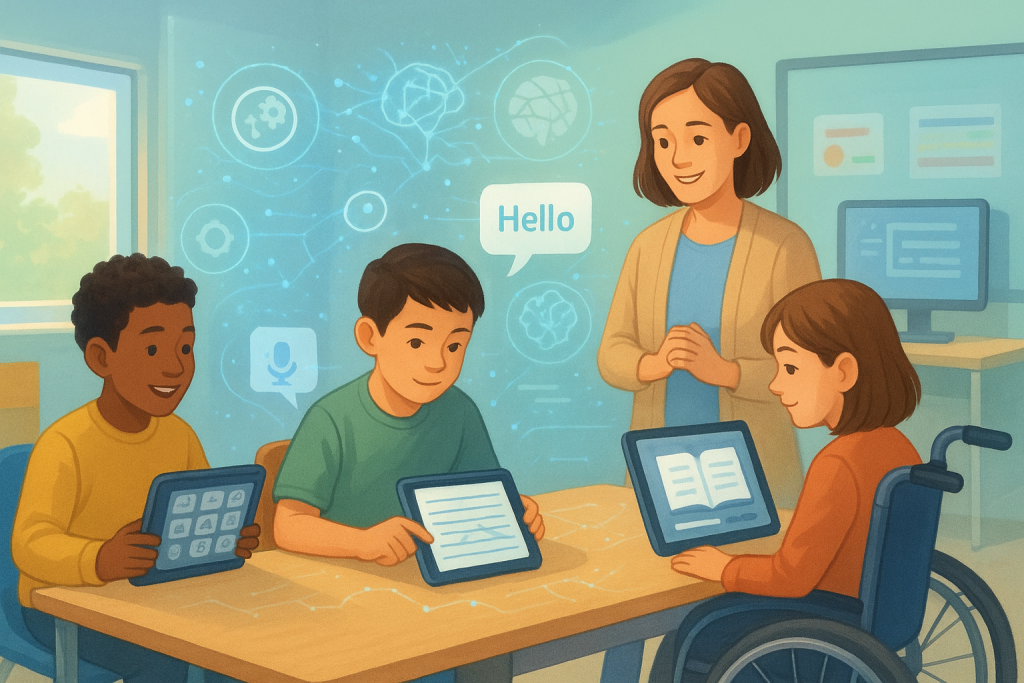
Every so often a research paper lands that feels less like a forecast and more like a field guide. The OECD’s new working paper on AI for students with special education needs is exactly that—practical, grounded, and refreshingly clear about what helps right now. If you care about brain‑friendly learning, this is good news: we’re moving beyond shiny demos into tools that lower barriers in everyday classrooms, therapy rooms, and homes. The paper’s central idea is simple enough to fit on a sticky note: inclusion first, AI second. Instead of asking “Where can we push AI?” the authors ask “Where do learners get stuck—and how can AI help remove that barrier?” That’s the spirit of Universal Design for Learning (UDL): give learners multiple ways to engage with content, multiple ways to understand it, and multiple ways to show what they know. AI becomes the backstage crew, not the headliner—preparing captions, adapting tasks, translating atypical speech, and nudging practice toward the just‑right challenge level. What does this look like in real life? Picture a student whose handwriting slows down everything. Traditional practice can feel like running in sand—lots of effort, little forward motion. Newer, tablet‑based coaches analyze the micro‑skills we rarely see with the naked eye: spacing, pressure, pen lifts, letter formation. Instead of a generic worksheet, the learner gets bite‑sized, game‑like tasks that target the exact stumbling blocks—then cycles back into real classroom writing. Teachers get clearer signals too, so support moves from hunches to evidence. Now think about dyslexia. Screening has always walked a tightrope: catch risk early without labeling too fast. The paper highlights tools that combine linguistics with machine learning to spot patterns and then deliver thousands of tiny, personalized exercises. The win isn’t just early identification; it’s keeping motivation intact. Short, achievable practice turns improvement into a string of small wins, which is catnip for the brain’s reward system. Some of the most heartening progress shows up in communication. If you’ve ever watched a child with atypical speech be understood—really understood—by a device that has learned their unique patterns, you know it feels like a door opening. Fine‑tuned models now translate highly individual speech into clear text or voice in real time. Families tell researchers that daily life gets lighter: ordering in a café, answering a classmate, telling a joke at the dinner table. The paper is careful not to overclaim, but the early signals are powerful. Social communication for autistic learners is getting smarter, too. On‑screen or embodied agents can practice turn‑taking, joint attention, and emotion reading in a space that’s structured and safe. Educators can tweak prompts and difficulty from a dashboard, so sessions flex with energy levels and goals. The magic here isn’t that a robot “teaches” better than a human; it’s that practice becomes repeatable, low‑stakes, and tuned to the moment—then transferred back to real interactions. Not all wins are flashy. Converting static PDFs into accessible, multimodal textbooks sounds mundane until you watch it unlock a unit for an entire class. Text‑to‑speech, captions, alt‑text, adjustable typography, and cleaner layouts benefit students with specific needs—and quietly help everyone else. This is UDL’s ripple effect: when we design for variability, the floor rises for all learners. Under the hood, personalization is getting sharper. Instead of treating “math” or “reading” as monoliths, systems map skills like networks. If multiplication is shaky because repeated addition never solidified, the system notices and steps back to build the missing bridge. Learners feel less frustration because the work finally matches their readiness. Teachers feel less guesswork because the analytics point to actionable scaffolds, not vague “struggling” labels. So where’s the catch? The paper is clear: many tools still need larger, longer, and more diverse trials. Evidence is growing, not finished. We should celebrate promising results—and still measure transfer to real tasks, not just in‑app scores. And we can’t ignore the guardrails. Special education involves some of the most sensitive data there is: voice, video, eye‑gaze, biometrics. Privacy can’t be an afterthought. Favor on‑device processing where possible, collect only what you need, keep it for as short a time as you can, and use consent language that families actually understand. Bias is another live wire. If speech models don’t learn from a wide range of accents, ages, and disability profiles, they’ll miss the very learners who need them most. And yes, there’s an environmental bill for heavy AI. Right‑sized models, greener compute, and sensible usage policies belong in the conversation. What should teachers and therapists do with all this tomorrow morning? Start with the barrier, not the tool. Identify the friction—copying from the board, decoding dense text, being understood—and pilot something that targets that friction for eight to twelve weeks. Keep it humble and measurable: a pre/post on intelligibility, words per minute, error patterns, or on‑task time tells a better story than “students liked it.” Treat multimodality as default, not accommodation: captions on, text‑to‑speech available, alternative response modes open. And capture whether gains show up in real classwork. If progress lives only inside an app, it’s not the progress you want. For school leaders, the paper reads like a procurement sanity check. Ask vendors for research summaries you can actually read, not just glossy claims. Demand accessibility as a feature, not an add‑on—screen reader support, captions, switch access. Check interoperability so your data doesn’t get stuck. Bake privacy into contracts: where data lives, how long it stays, how deletion works. Push for localization and equity—bilingual interfaces, dialect sensitivity, culturally relevant content—because a tool that isn’t understood won’t be used. And if a vendor can talk credibly about energy and efficiency, that’s a green flag. Bottom line: AI isn’t replacing the art of teaching or therapy. It’s removing friction so strengths surface sooner. It’s turning opaque struggles into visible, coachable micro‑skills. It’s helping voices be heard and ideas be expressed. If we keep learners and families at the center, measure what matters, and mind the guardrails, this isn’t hype—it’s momentum we can build on. Read the full OECD paper: https://www.oecd.org/content/dam/oecd/en/publications/reports/2025/09/leveraging-artificial-intelligence-to-support-students-with-special-education-needs_ebc80fc8/1e3dffa9-en.pdf

English

Click Less, Think More: How Atlas Changes the Day

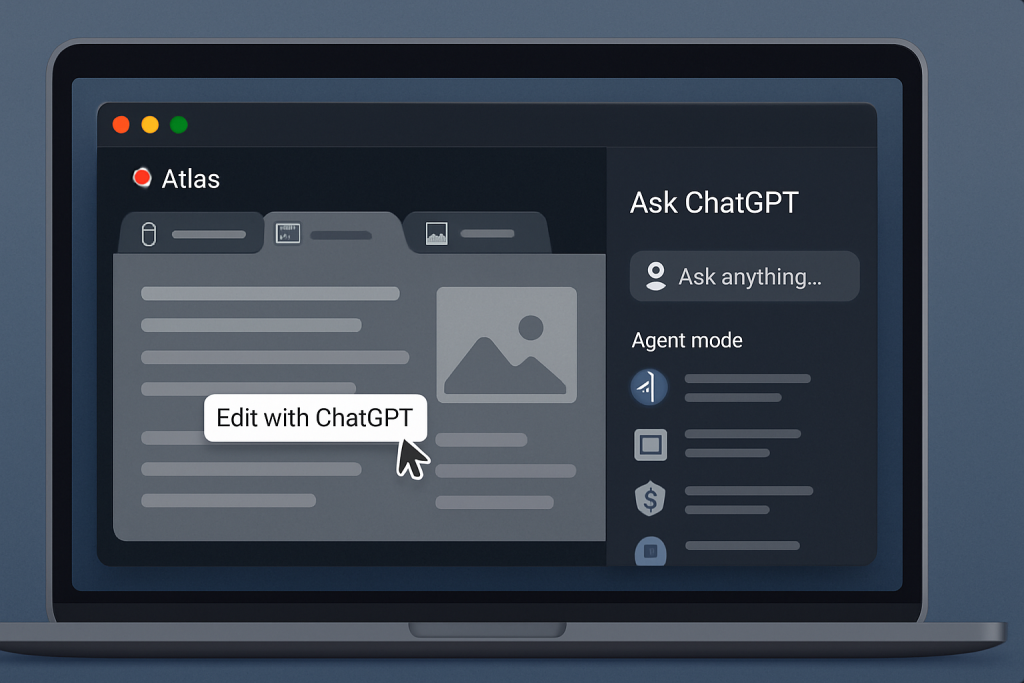
ChatGPT Atlas is the kind of upgrade you only appreciate after a single workday with it. Instead of juggling a separate ChatGPT tab, a dozen research pages, and that half‑written email, Atlas pulls the assistant into the browser itself so you can read, ask, draft, and even delegate steps without breaking focus. OpenAI introduced it on October 21, 2025, as a macOS browser available worldwide for Free, Plus, Pro, and Go users, with Agent mode in preview for Plus, Pro, and Business and admin‑enabled options for Enterprise and Edu. Windows, iOS, and Android are on the way, but the story starts here: a browser that understands the page you’re on and can help you act on it. If you’ve ever copied a paragraph into ChatGPT just to get a plainer explanation, you’ll like the Ask ChatGPT sidebar. It rides alongside whatever you’re viewing, so you can highlight a passage and ask for an explanation, a summary for families, or a quick draft to paste into your notes—without leaving the page. You can type or talk, and the conversation stays anchored to the page in view. For writing, Atlas adds an “Edit with ChatGPT” cursor directly in web text fields: select text, invoke the cursor, and request a revision or dictate new content in place. It feels less like consulting a tool and more like having a helpful colleague in the margin. Where things get interesting is Agent mode. When you switch it on, ChatGPT can take actions in your current browsing session: open tabs, navigate, click, and carry out multi‑step flows you describe. Planning a workshop? Ask it to gather venue options that match your accessibility checklist, compare prices and policies, and draft a short email to the top two. Wrangling admin tasks? Let it pre‑fill routine forms and stop for your review before submission. You set the guardrails—from preferred sources to required approval checkpoints—and you can even run the agent “logged out” to keep it away from signed‑in sites unless you explicitly allow access. It’s a natural hand‑off: you start the task, the agent continues, and it reports back in the panel as it goes. Because this is a browser, privacy and control matter more than features. Atlas ships with training opt‑outs by default: OpenAI does not use what you browse to train models unless you turn on “Include web browsing” in Data controls. Browser memories—the feature that lets ChatGPT remember high‑level facts and preferences from your recent pages—are strictly optional, viewable in Settings, and deletable; deleting your browsing history also removes associated browser memories. Business and Enterprise content is excluded from training, and admins can decide whether Browser memories are available at all. If you want quality signals to improve browsing and search but not training, Atlas separates that diagnostic toggle from the model‑training switch so you can keep one off and the other on. Setup is quick. Download the macOS app, sign in with your ChatGPT account, and import bookmarks, passwords, and history from Chrome so you don’t start from zero. You can make Atlas your default in one click, and there’s a small, time‑limited rate‑limit boost for new default‑browser users to smooth the transition. It runs on Apple silicon Macs with macOS 12 Monterey or later, which covers most modern school or clinic machines. For a brain‑friendly practice—whether you’re supporting learners, coaching adults, or coordinating therapy—Atlas changes the cadence of your day. Research no longer requires the swivel‑chair routine: open a guideline or policy page, ask the sidebar to extract the eligibility details or accommodations, and keep reading as it compiles what matters. When policies conflict, have it surface the differences and the exact language to discuss with your team. Drafting becomes lighter, too. Need a parent update in Arabic and English? Keep your school page open, ask Atlas to produce a two‑column explainer grounded in that page, and paste it into your newsletter or WhatsApp note. Because the chat sits beside the source, you’re less likely to lose context—and more likely to keep citations tidy. The benefits are practical in Qatar and across MENA, where bilingual communication and time‑to‑action often make or break a plan. Atlas respects your existing logins and runs locally on macOS, which means it adapts to your regional sites and Arabic/English workflows without new portals. Start small: use the sidebar for comprehension scaffolds during lessons, quick plain‑language summaries for families, or bilingual glossaries on the fly. When your team is comfortable, try Agent mode for repeatable tasks like collecting venue policies, drafting vendor comparisons, or preparing term‑start checklists—while keeping the agent in logged‑out mode if you don’t want it near signed‑in records. The point isn’t to automate judgment; it’s to offload the clicks so you can spend attention where it counts. Safety is a shared responsibility, and OpenAI is frank that agentic browsing carries risk. Atlas limits what the agent can do—it can’t run code in the browser, install extensions, or reach into your file system—and it pauses on certain sensitive sites. But the company also warns about prompt‑injection attacks hidden in webpages that could try to steer an agent off course. The practical takeaway for teams is simple: monitor agent runs, prefer logged‑out mode for anything sensitive, and use explicit approval checkpoints. As with any new tool, start on low‑stakes workflows, measure outcomes like minutes saved or error rates, and scale intentionally. Under the hood, Atlas also modernizes search and results. A new‑tab experience blends a chat answer with tabs for links, images, videos, and news, so you can go source‑first when you want to validate or dive deeper. That’s useful for educators and clinicians who need traceable sources for reports: ask for a synthesis, then flip to the links view to gather citations you can verify. And because it’s still a browser, your usual web apps, calendars, and SIS/EMR portals stay right where they are—Atlas just gives you a knowledgeable helper at elbow height. If you publish a newsletter like Happy Brain Training, Atlas earns its keep quickly.

English

Parental Controls & Teen AI Use: What Educators and Therapists Need to Know

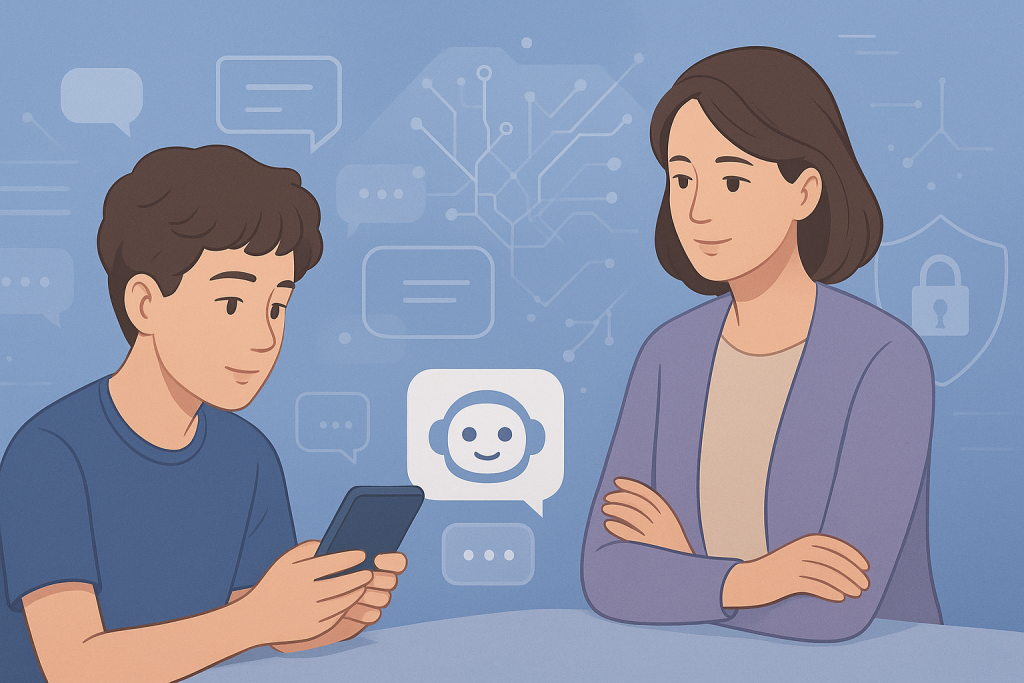
Artificial intelligence is now woven deeply into adolescents’ digital lives, and recent developments at Meta Platforms illustrate how this is prompting both excitement and concern. In October 2025, Meta announced new parental control features designed to address how teenagers interact with AI chatbots on Instagram, Messenger and Meta’s AI platforms. These new settings will allow parents to disable one-on-one chats with AI characters, block specific AI characters entirely and gain insights into the broader topics their teens are discussing with AI. For therapists and special educators, this kind of shift has direct relevance. Teens are using AI chatbots not just as novelty apps, but as everyday companions, confidants and conversational partners. Some research suggests more than 70 % of teens have used AI companions and over half engage regularly. That means when we talk about adolescent social and emotional support, the digital dimension is increasingly part of the context. Why does this matter? First, if a teen is forming a pattern of working through challenges, worries or social-communication via an AI chatbot, it raises important questions: what kind of messages are being reinforced? Are these increasing self-reliance, reducing peer or adult interaction, or reinforcing unhealthy patterns of isolation or dependency? For example, if a student with anxiety prefers sessions with a chatbot over adult-led discussion, we need to ask whether that substitution is helpful, neutral, or potentially problematic. Second, educators and therapists are well positioned to intervene proactively. Instead of simply assuming family or school IT will handle AI safety, you can build routine questions and reflections into your sessions: “Do you talk with a chatbot or AI assistant? What do you talk about? How does that compare to talking to friends or me?” These questions open discussion about digital emotional habits and help students articulate their experiences with AI rather than silently consume them. Third, this is also a family and systems issue. When Meta allows parents to monitor and set boundaries around teen-AI interactions, it offers a starting point for family education around digital wellbeing. For therapists, hosting a brief parent-session or sending a handout about AI chat habits, emotional regulation and healthy interaction might make sense. In special education settings, this becomes part of a broader plan: how does student digital use intersect with communication goals, social skills, and transition to adult life? From a school or clinic perspective, planning might include coordination with the IT team, reviewing how chatbots or AI companions are used in the building, and considering whether certain students need scaffolded access or supervision. For example, students with social-communication challenges might use AI bots unsupervised, which introduces risk if the bot offers responses that are unhelpful, reinforcing or misleading. It’s also important to stay alert to ethics and developmental appropriateness. Meta’s update comes after criticism that some of its bots engaged in romantic or inappropriate exchanges with minors. These new features—while helpful—are a minimum response, not a full solution. Vulnerable teens, especially those with special needs, may be at greater risk of substituting bot-based interaction for supportive adult engagement. What can you do right now? Consider including a digital-AI question in your intake or IEP forms. Run a short conversation with families about chatbot use in the home. Offer resources or a brief session for parents and guardians about setting boundaries and promoting emotional safety in AI use. Take a look at students whose digital habits changed dramatically (for example, more chatbot use, fewer peer interactions) and reflect on whether this coincides with changes in mood/engagement. Dialogue with your multidisciplinary team: how does AI interaction fit into the student’s social-communication plan, mental health goals or peer-interaction targets? Suggested Reading:

English

Inclusive AI in Education: A New Frontier for Therapists and Special Educators

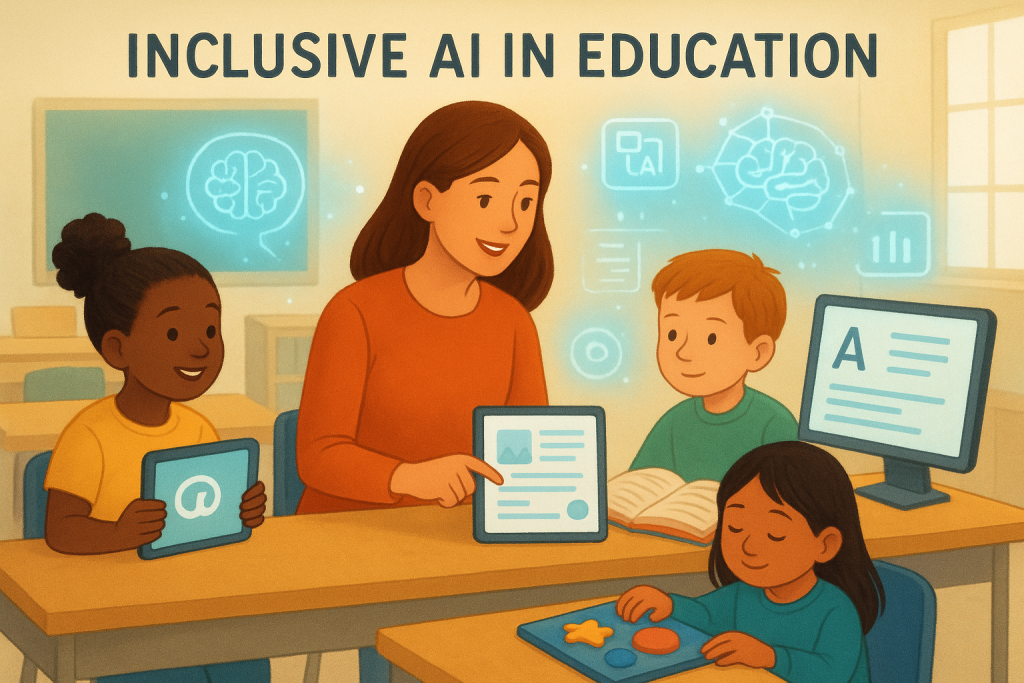
The promise of artificial intelligence in education has grown rapidly, and a new working paper from the Organisation for Economic Co‑operation and Development (OECD) titled “Leveraging Artificial Intelligence to Support Students with Special Education Needs” provides a thoughtful overview of how AI can support learners—but with major caveats. At its core, the report argues that AI tools which adapt instruction, generate accessible content and provide support tailored to individual learners have real potential in special education, therapy and inclusive classrooms. For example, an AI system might generate simplified reading passages for students with dyslexia, create visual supports or scaffolds for students with language delays, or adapt pace and format for students with attention or processing challenges. For therapists and special educators, this means opportunities to innovate. Instead of manually creating multiple versions of a lesson or communication script, generative AI can support you by producing varied, adapted material quickly. A speech therapist working with bilingual children might use an AI tool to produce scaffolded materials across languages; an occupational therapist might generate tactile-task instructions or interactive supports that match a student’s profile. However, the OECD report also emphasises that equity, access and human-centred design must accompany these possibilities. AI tools often rely on data trained on typical learners, not those with rare communication profiles or disabilities. Bias, representation gaps and access inequities (such as device availability or internet access) are real obstacles. In practice, you might pilot an AI-driven tool in one classroom or one caseload, with clear parameters: what are the outcomes? How did students engage? Did the tool genuinely reduce the manual load? Did it increase learner autonomy or scaffold more meaningful interaction? Collecting student and family feedback, documenting changes in engagement, and reflecting on how the tool leveraged or altered human support is key. Inclusive AI also demands that you remain the designer of the environment, not the tool. For example, when generating supports for a student with autism and a co-occurring language disorder, you might ask: did the AI produce appropriate language level? Did it respect cultural/language context? Do hardware/internet constraints limit access at home or in school? These reflections help avoid inadvertently widening the gap for students who may have fewer resources. From a professional development perspective, this is also a moment to embed AI literacy into your practice. As learners engage with AI tools, ask how their interaction changes: Are they more independent? Did scaffolded tools reduce frustration? Are they using supports in ways you did not anticipate? Part of your emerging role may be to monitor and guide how students interact with AI as part of the learning ecology. If you’re exploring inclusive AI, consider creating a small pilot plan: select one AI-tool, one student group, one outcome metric (e.g., reading comprehension, self-regulation, communication initiation). Run a baseline, implement the tool, reflect weekly, and refine prompts or scaffolded supports. Share findings with colleagues—these insights are vital for building sustainable AI-assisted practice. Suggested Reading:

English

Echo-Teddy: An LLM-Powered Social Robot to Support Autistic Students

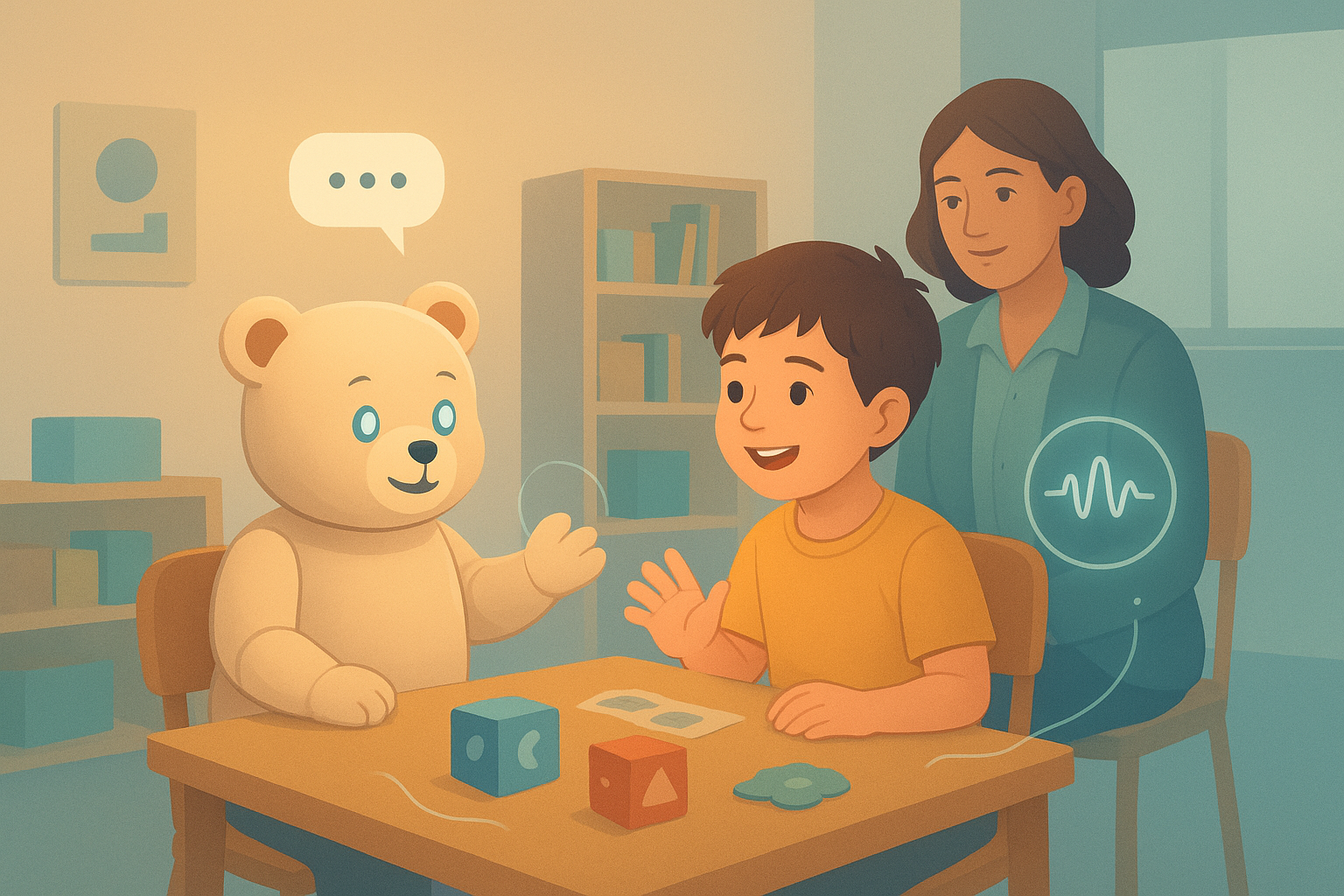
One of the most promising frontiers in AI and special education is the blending of robotics and language models to support social communication. A recent project, Echo-Teddy, is pushing into that space — and it offers lessons, possibilities, and cautions for therapists, educators, and clinicians working with neurodiverse populations. What Is Echo-Teddy? Echo-Teddy is a prototype social robot powered by a large language model (LLM), designed specifically to support students with autism spectrum disorder (ASD). The developers built it to provide adaptive, age-appropriate conversational interaction, combined with simple motor or gesture capabilities. Unlike chatbots tied to screens, Echo-Teddy occupies physical space, allowing learners to engage with it as a social companion in real time. The system is built on a modest robotics platform (think Raspberry Pi and basic actuators) and integrates speech, gestures, and conversational prompts in its early form. In the initial phase, designers worked with expert feedback and developer reflections to refine how the robot interacts: customizing dialogue, adapting responses, and adjusting prompts to align with learner needs. They prioritized ethical design and age-appropriate interactions, emphasizing that the robot must not overstep or replace human relational connection. Why Echo-Teddy Matters for Practitioners Echo-Teddy sits at the intersection of three trends many in your field are watching: Key Considerations & Challenges No innovation is without trade-offs. When considering Echo-Teddy’s relevance or future deployment, keep these in mind: What You Can Do Today (Pilot Ideas) Looking Toward the Future Echo-Teddy is an early model of what the future may hold: embodied AI companions in classrooms, therapy rooms, and home settings, offering low-stakes interaction, scaffolding, and rehearsal. As hardware becomes more affordable and language models become more capable, these robots may become part of an ecosystem: robots, human therapists, software tools, and digital supports working in tandem. For your audience, Echo-Teddy is a reminder: the future of social-communication support is not just virtual — it’s embodied. It challenges us to think not only what AI can do, but how to integrate technology into human-centered care. When thoughtfully deployed, these innovations can expand our reach, reinforce learning, and provide clients with more opportunities to practice, experiment, and grow.

English

Evaluating AI Chatbots in Evidence-Based Health Advice: A 2025 Perspective

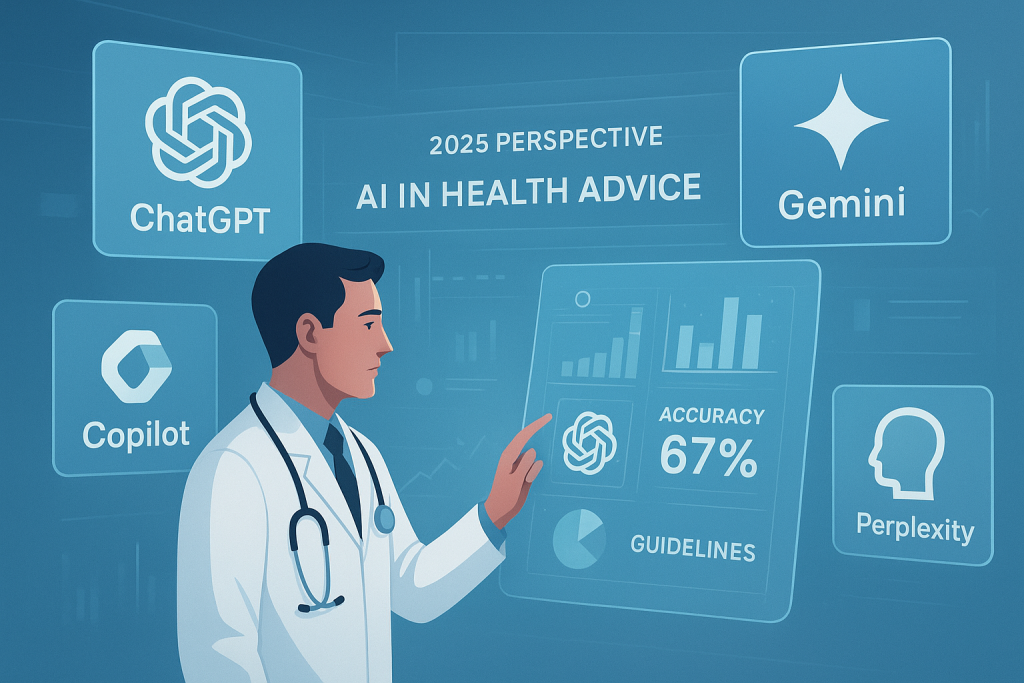
As artificial intelligence continues to permeate various sectors, its application in healthcare has garnered significant attention. A recent study published in Frontiers in Digital Health assessed the accuracy of several AI chatbots—ChatGPT-3.5, ChatGPT-4o, Microsoft Copilot, Google Gemini, Claude, and Perplexity—in providing evidence-based health advice, specifically focusing on lumbosacral radicular pain. Study Overview The study involved posing nine clinical questions related to lumbosacral radicular pain to the latest versions of the aforementioned AI chatbots. These questions were designed based on established clinical practice guidelines (CPGs). Each chatbot’s responses were evaluated for consistency, reliability, and alignment with CPG recommendations. The evaluation process included assessing text consistency, intra- and inter-rater reliability, and the match rate with CPGs. Key Findings The study also highlighted variability in the internal consistency of AI-generated responses, ranging from 26% to 68%. Intra-rater reliability was generally high, with ratings varying from “almost perfect” to “substantial.” Inter-rater reliability also showed variability, ranging from “almost perfect” to “moderate.” Implications for Healthcare Professionals The findings underscore the necessity for healthcare professionals to exercise caution when considering AI-generated health advice. While AI chatbots can serve as supplementary tools, they should not replace professional judgment. The variability in accuracy and adherence to clinical guidelines suggests that AI-generated recommendations may not always be reliable. For allied health professionals, including speech-language pathologists, occupational therapists, and physical therapists, AI chatbots can provide valuable information. However, it is crucial to critically evaluate AI-generated content and cross-reference it with current clinical guidelines and personal expertise. Conclusion While AI chatbots have the potential to enhance healthcare delivery by providing quick access to information, their current limitations in aligning with evidence-based guidelines necessitate a cautious approach. Healthcare professionals should leverage AI tools to augment their practice, ensuring that AI-generated advice is used responsibly and in conjunction with clinical expertise.

Shopping Cart